Patient Documents
A list of the documents that are required for you to have on file for the patient (diagnostics, referrals, evaluations, etc.) can be added on the Medical Info tab of the patient's profile.
Some documents are created automatically during the opportunity workflow if there are required documents set up on the payer of the patient's coverage. Learn about Required Patient Documents on Payers.
- Patient - the patient this document is regarding.
- Document - select the document that needs to be obtained / was obtained. Learn how to set up document definitions.
- Received Date - enter the date the document was received.
- Expiration Date - enter the date the document expires or needs to be requested again.

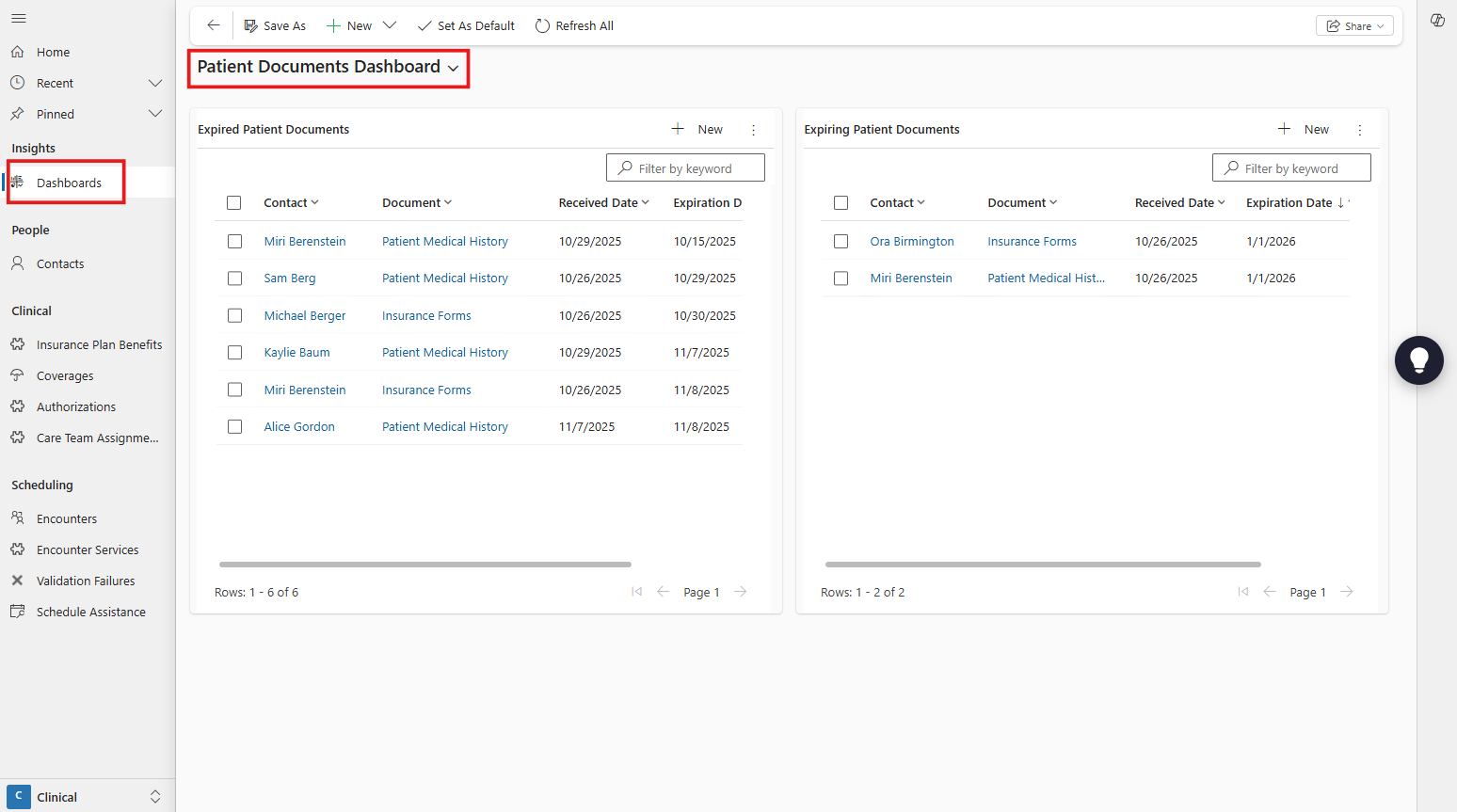
Patient Documents Dashboard
Go to 'Dashboards' on the site menu and select the Patient Documents Dashboard to review expired and expiring (in the next 30 days) documents to help you streamline requesting new documents for patients.